Whether you are a small business owner or have a business unit with an enterprise, your work will be centered around project management execution. Do you want to assign tasks to your resources with less stress? TaskQue is an easy-to-use project management system that allows you to organize, prioritize and assign tasks in the queue. It helps you manage all your resources across different projects and keep track of your resources’ performance and their deadlines. TaskQue has a unique Queue feature that distributes workload to all your resources by using an intelligent allocation algorithm without overwhelming your resources.
It is indeed a great task management tool that has a unified collaboration platform to discuss and share your valuable ideas with your team members to ensure quality deliverables. It is one of the best project management software that is customizable enough and molds according to business culture to meet the specific needs of your organization.
Organize Tasks with Priority for Optimum Productivity
Wish you could finish all your tasks faster without feeling overwhelmed? This is easy with TaskQue – a perfect online project management tool that helps you effectively complete your tasks, manage team collaborative tasks, create personal to-do lists, share ideas, and prioritize tasks according to workload – all in one place in real time.
Let’s find out how TaskQue works:
The Signup Process
It’s simple… you can simply enter your email address and desired password to create your account on TaskQue. You can also sign up with your google account – a confirmation email will be sent to you to activate your account. Once you have activated your account you are all set to using TaskQue.
The 3 Pane System
To get the most out of TaskQue, it is important to get familiar with the 3 pane system used throughout TaskQue.
The Left Pane
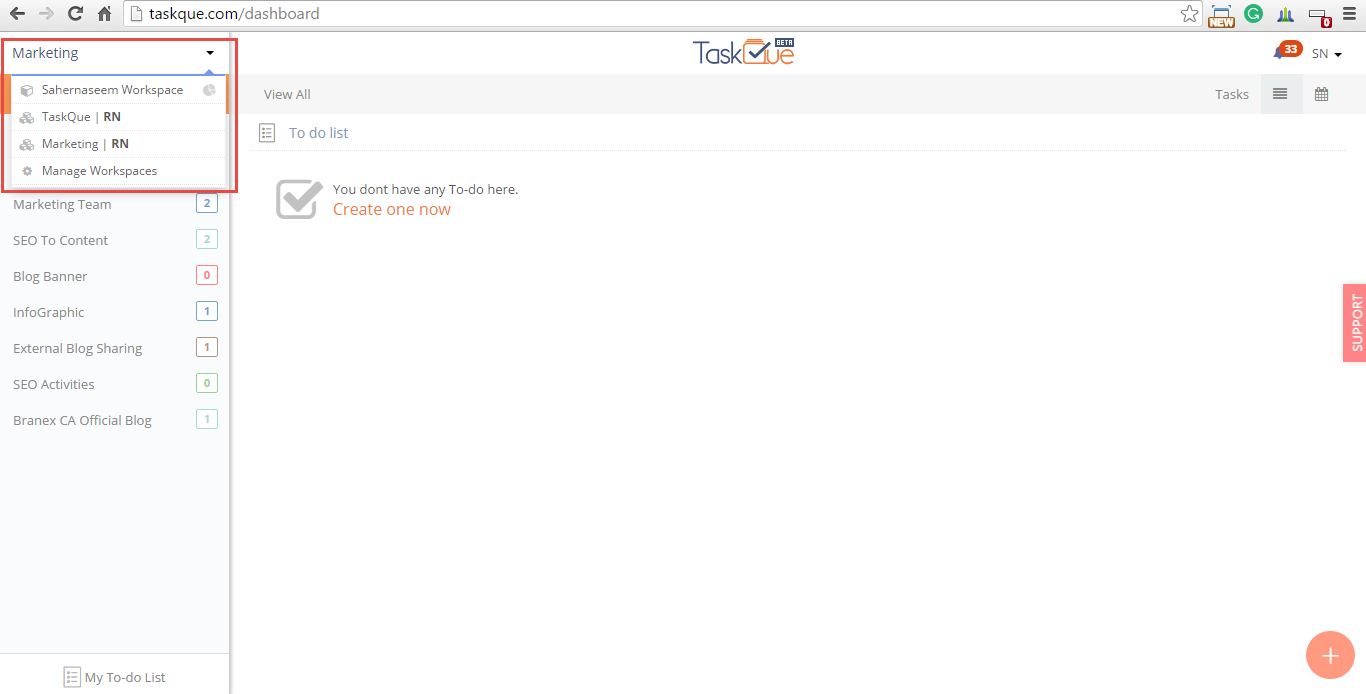
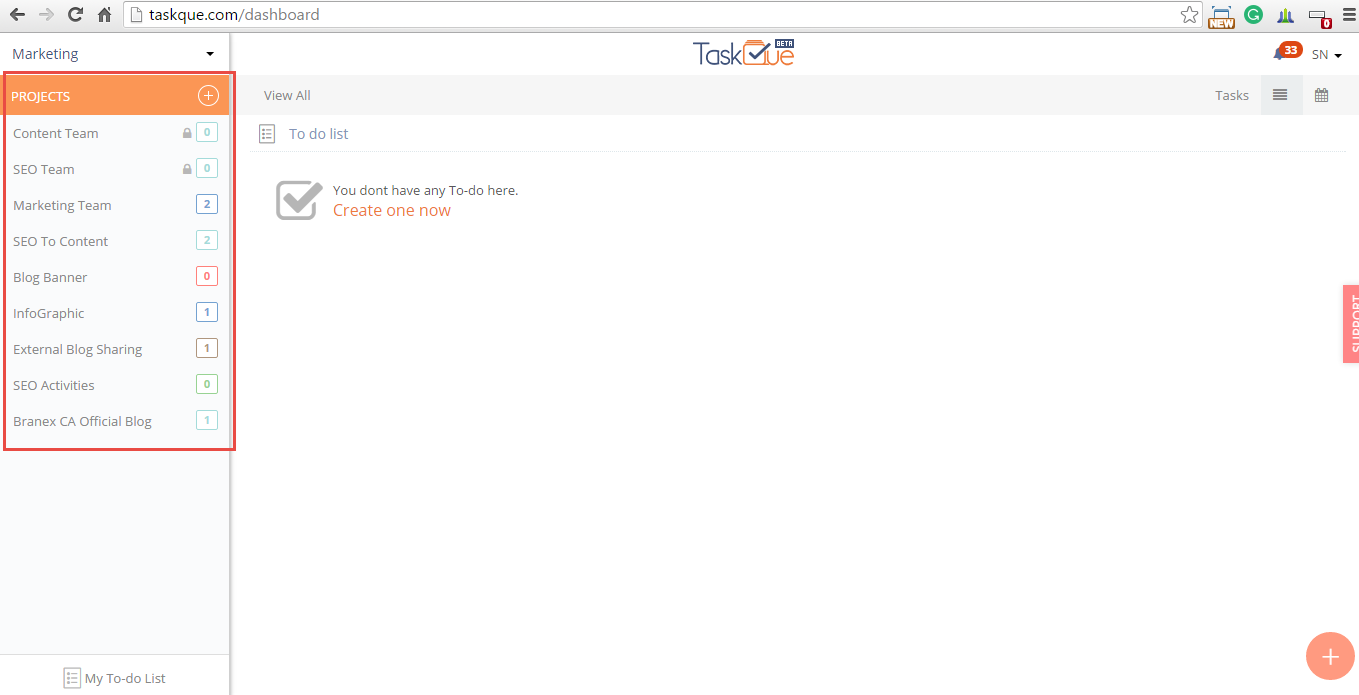
The left navigation allows you to view workspaces (shared with you, created by you), create a new project, view the list of user created projects and access your To-do list.
 A workspace dropdown view that shows user’s workspace, workspaces that are shared with the user and the manage workspaces option.
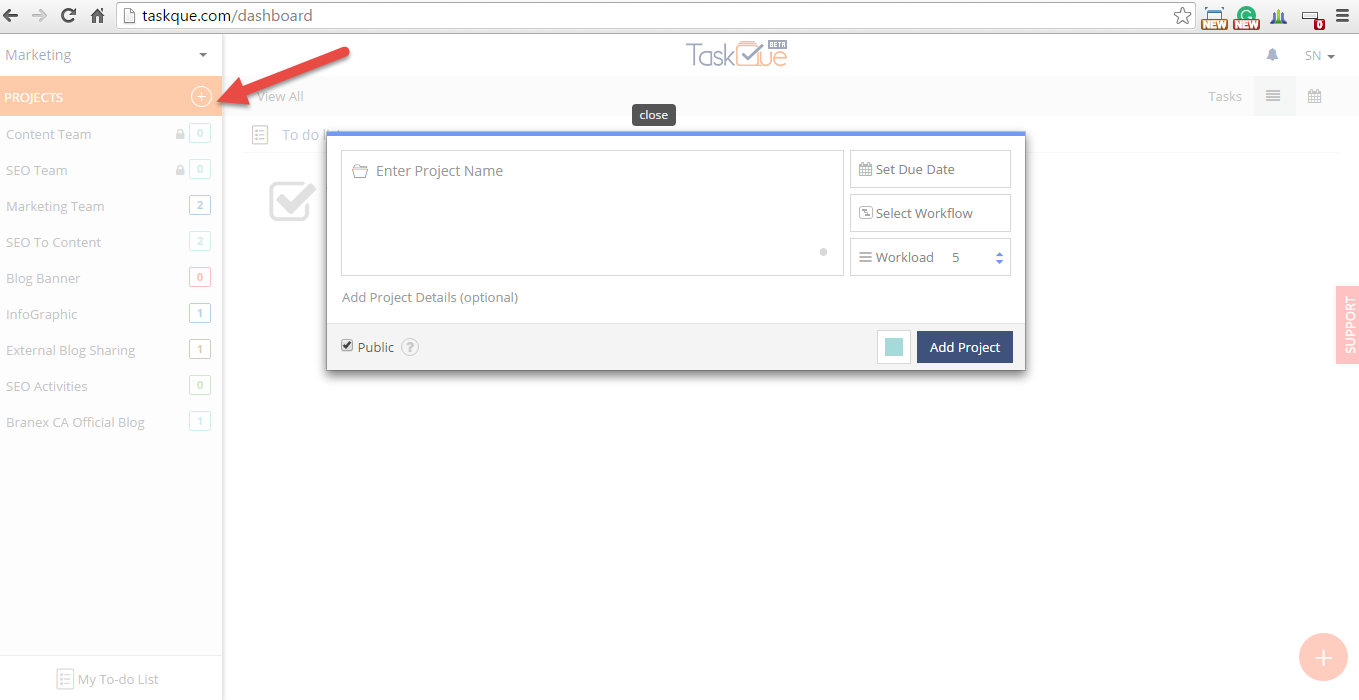
 You can create a new project and view the list of all projects created by you and shared within a workspace.
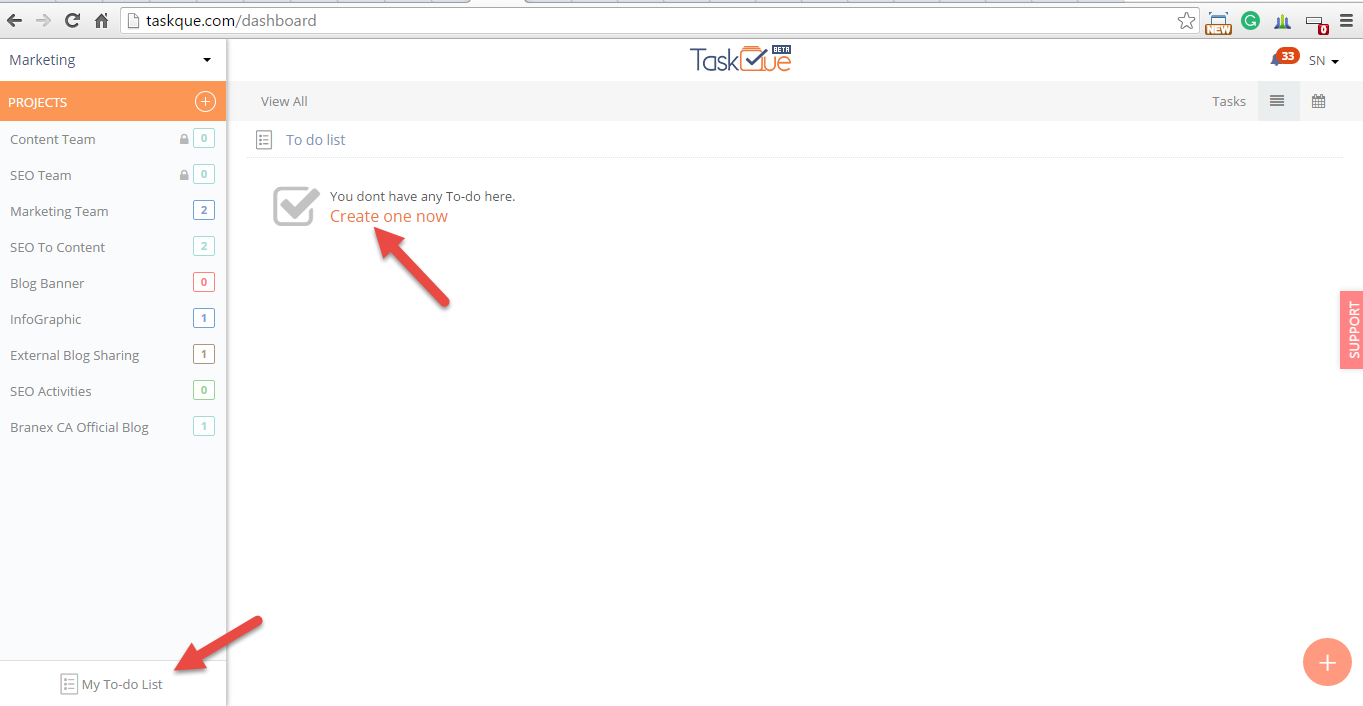
 You can access your To-do list from left navigation.
 The Middle Pane
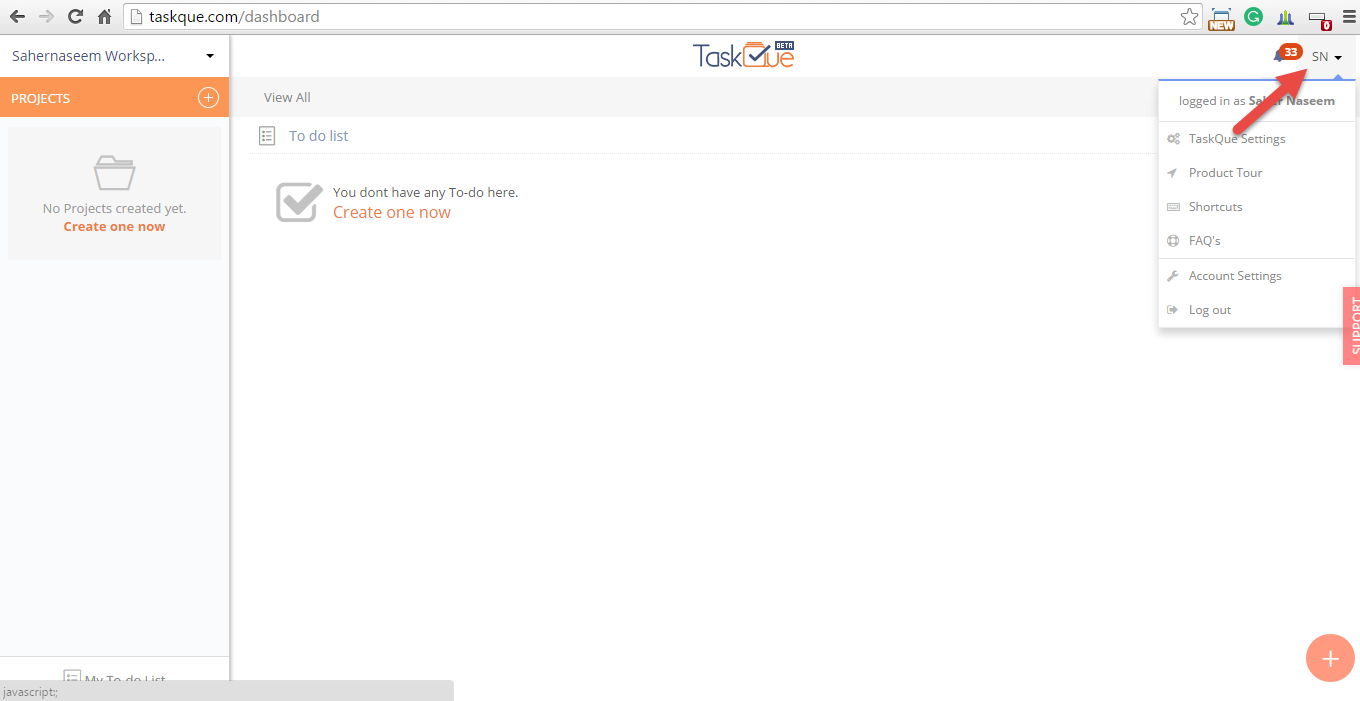
In the middle pane you will find dropdown profile icon that allows you to view TaskQue Settings, Product Tour, Shortcuts, FAQs, Account Settings and a log out option.
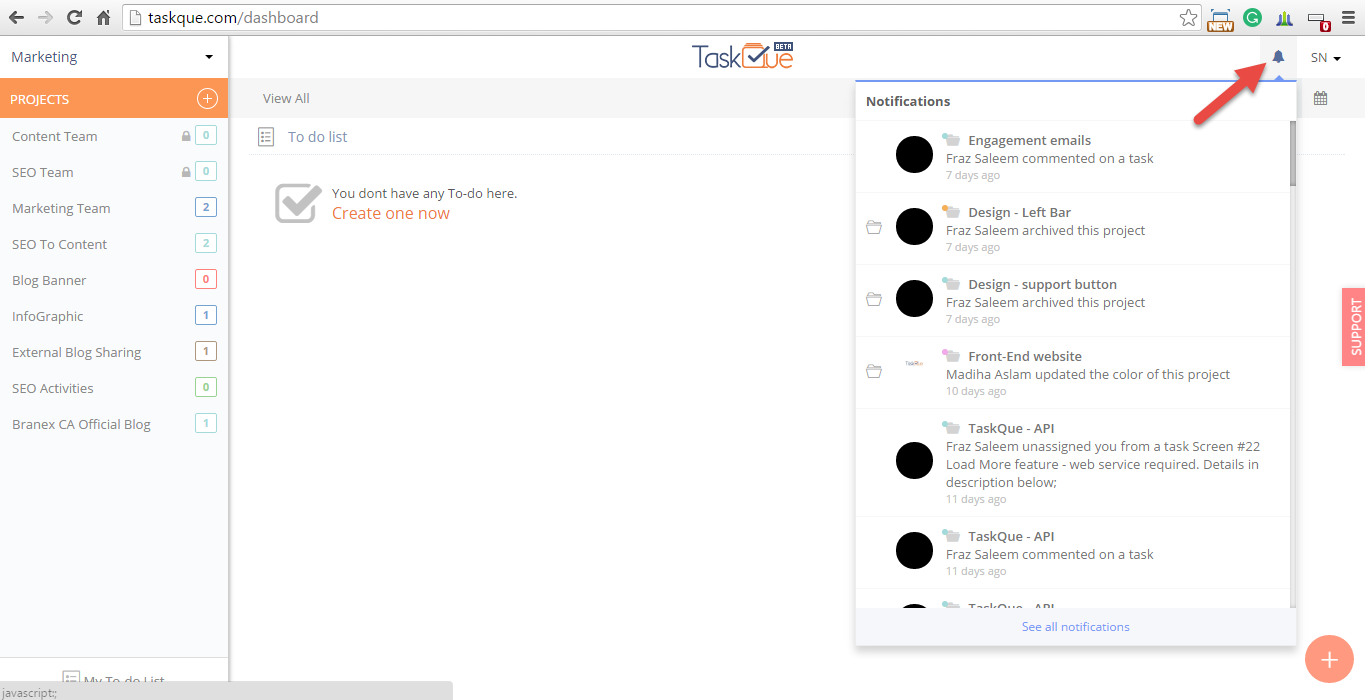
 In the middle pane, you will also find a notification icon that allows you to keep track of any changes or updates taken place in the project that you can take part in and tasks that have been assigned to you.
 You can also view the list of tasks for every project in the middle pane.
 Creating a task, project and To-do is as easy as clicking on the red + button. When this button is clicked it will give you options to create a new task, create a new project and create To-do.

You will find Task Filters that will allow you to view the progress of your all tasks that are in progress, reopened, completed, assigned to you, followed by you, due today, overdue and queued. Advanced Filters is another option that you can use to check active, archive, assigned, unassigned, complete, incomplete, reopened, due and tasks by priority.
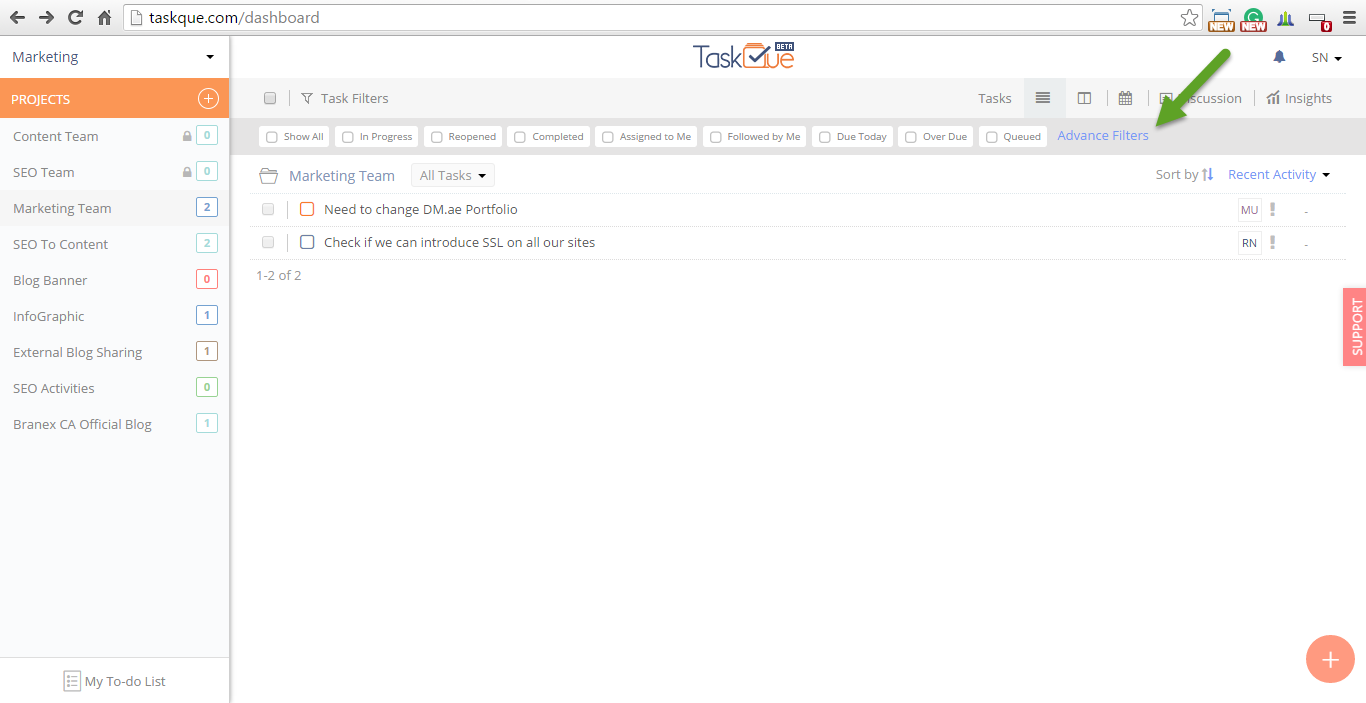 The List view of the tasks.
 The Kanban view of the tasks.
 View the calendar of the project.
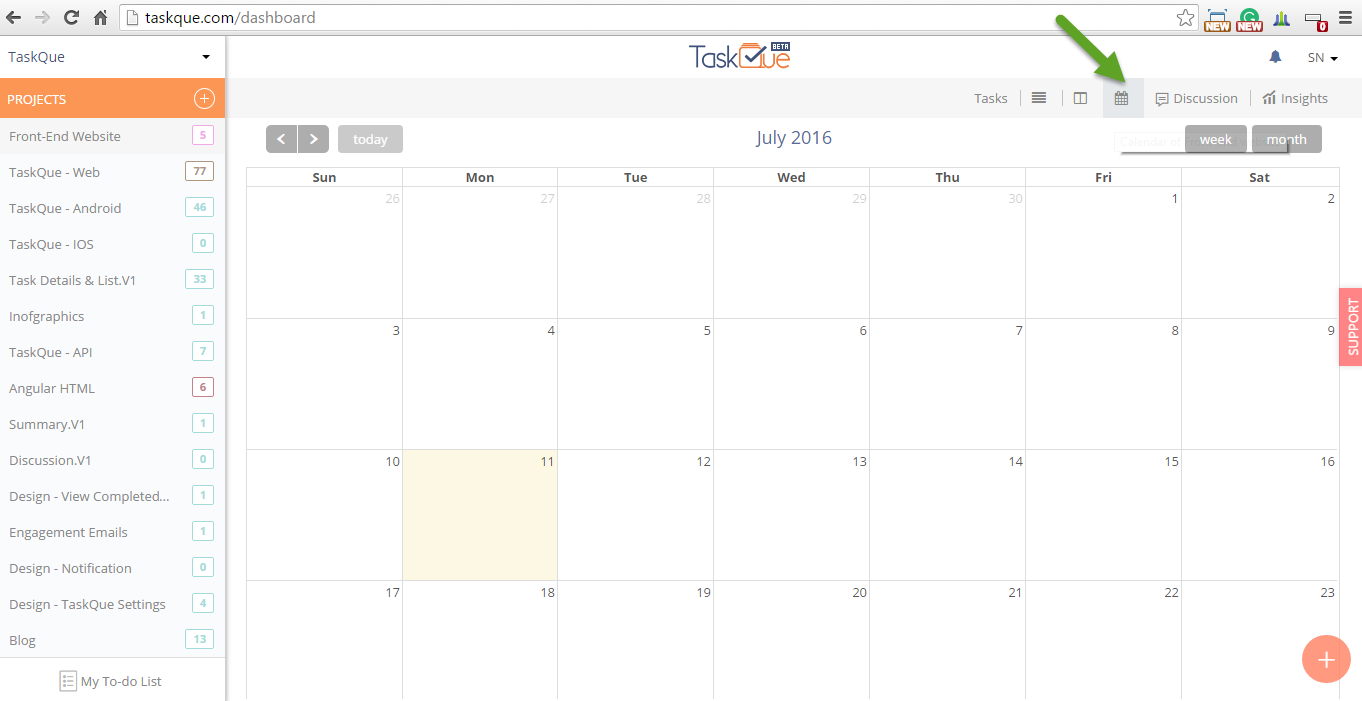 The Discussion button will give you an option to create discussion and view the responses of your colleagues and managers on any task’s progress.
 The Insights will give you the quick overview of the tasks that are assigned, completed, due today, overdue, unassigned, tasks with no due date and tasks in Queue.
 The Right Pane
When the task title is clicked it will open task details at the right pane. Productivity management tools never feel friendly until after you have spent some time and effort to actually understanding them. Using TaskQue is easy and can help you accomplish your goals in no time. Try it Now!